LLM Observability: How Do You Debug an AI App in Production?
June 6, 2026
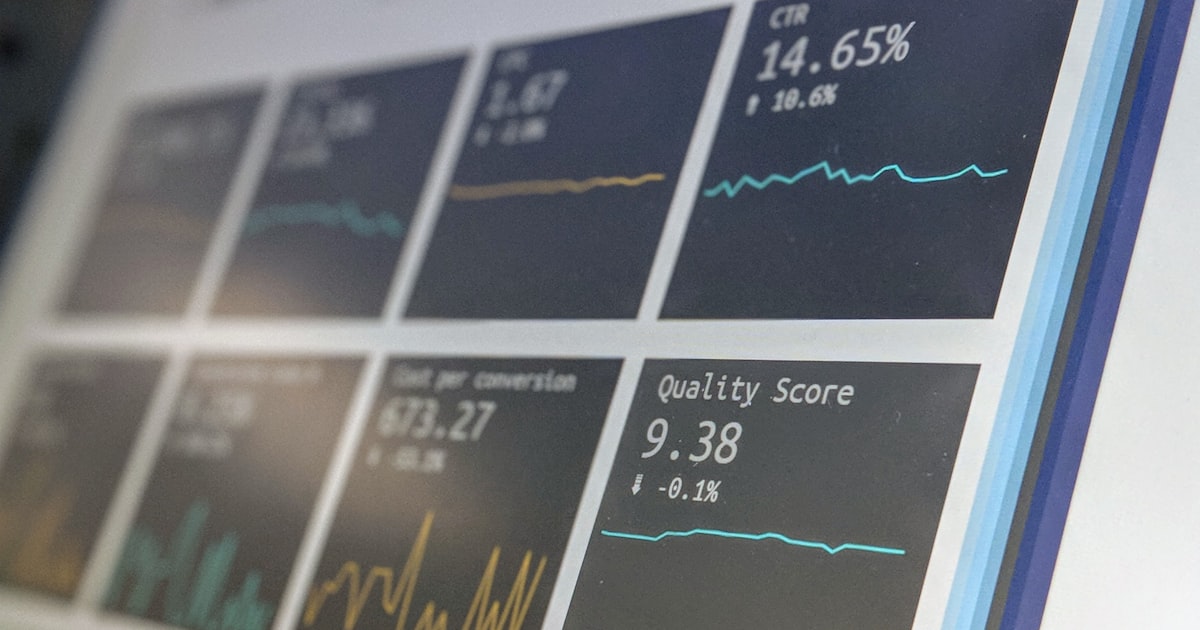
Forty-one percent of teams running LLM applications don't monitor them in production at all (DataTalks.Club AI Engineering Survey 2025–2026). That's not a fringe minority cutting corners. It's close to half the field shipping non-deterministic software with no idea how it behaves once real users hit it.
Traditional monitoring tells you the request returned a 200. It says nothing about whether the answer was wrong. When your AI feature quietly degrades — same status code, worse output — you find out from a support ticket, not a dashboard. This post is about closing that gap: what LLM observability is, what to actually track, and how to trace a regression back to the change that caused it.
Key Takeaways
- 41% of teams don't monitor LLM apps in production, and 31% don't evaluate output quality at all (DataTalks.Club, 2025–2026).
- LLM observability differs from APM because a "successful" request can still return a wrong answer — you monitor output quality, not just uptime.
- The dominant failure mode is subtle: 66% of developers cite "almost right, but not quite" as their top frustration (Stack Overflow, 2025).
- Observability only pays off when a trace links back to a specific prompt version, so you can diff what changed and roll it back.
What is LLM observability?
LLM observability is the practice of capturing every model interaction — inputs, outputs, latency, cost, and quality signals — so you can explain why an AI feature behaved the way it did. It extends traditional observability to the part application performance monitoring (APM) was never built for: the content of a response, not just whether the call succeeded.
The difference matters because LLM output is non-deterministic. A normal API endpoint is right or it throws. A model call almost always "succeeds" at the HTTP level and can still hallucinate, drift off-format, or quietly get worse after a prompt edit. Your error rate stays flat while quality falls off a cliff.
| Traditional APM tracks | LLM observability adds |
|---|---|
| Status codes, error rate | Output quality / eval scores |
| Request latency | Time-to-first-token, tokens/sec |
| Throughput (req/sec) | Token usage and cost per call |
| Stack traces | Full prompt + response traces |
| Uptime | Hallucination and drift signals |
So the unit of debugging changes. In a normal service you chase a stack trace. In an LLM app you replay the exact prompt, context, and model version that produced a bad answer — which means you have to have captured them in the first place.
Why do most teams skip it?
Most teams skip observability because the app looks like it's working — and because the tooling habits from deterministic software don't transfer. The same survey that found 41% don't monitor also found 31% don't run any evaluation at all, with only 17% automating it (DataTalks.Club, 2025–2026). The result is a blind spot the size of your production traffic.
The failure mode this creates is the expensive kind. In Stack Overflow's 2025 survey of roughly 49,000 developers, 66% named "AI solutions that are almost right, but not quite" their single biggest frustration, and 45.2% said debugging AI-generated output takes more time than expected (Stack Overflow, 2025). You can't smoke-test your way out of "almost right." There's no exception to catch — just a slow erosion of quality nobody's watching.
Our take: The reason "it looks fine" is so dangerous is that an LLM rarely fails loudly. It fails plausibly. Without traces tied to versions, a regression introduced by a one-word prompt edit is indistinguishable from normal variance until a customer complains.
This is also why so many projects stall. Gartner predicted at least 30% of generative AI projects would be abandoned after proof of concept by the end of 2025, naming unclear value and inadequate controls among the drivers (Gartner, 2024). A demo that works once is easy. A system you can keep working is the hard part — and you can't keep what you can't see.
What should you actually monitor?
Track four categories of signal: quality, cost, latency, and drift. Each maps to a question you'll eventually need answered at 2 a.m., and each is far cheaper to capture continuously than to reconstruct after an incident.
| Signal | What to capture | Why it matters |
|---|---|---|
| Quality | Eval scores, LLM-as-judge ratings, user thumbs | Catches "almost right" before users do |
| Cost | Tokens in/out, cost per call, cache hit rate | Spend scales with traffic and silent prompt bloat |
| Latency | Time-to-first-token, end-to-end, p95 | Slow answers churn users even when correct |
| Drift | Output format, refusal rate, version diffs | Surfaces regressions after prompt or model changes |
A note on targets: teams commonly aim for time-to-first-token under a few hundred milliseconds and end-to-end responses in the low seconds, but these are practitioner conventions, not a published standard — set yours against your own users' tolerance. The harder discipline is quality. Evaluation is consistently named the top unsolved enterprise AI problem in a16z's 2025 survey of 100 enterprise CIOs, ahead of both cost and latency (a16z, 2025). If you instrument one thing first, instrument output quality.
Critically, every one of these signals is only actionable if it's tagged with the prompt version that produced it. A latency spike or a quality dip is just noise until you can answer "what changed?" That requires connecting your traces to your prompt version history, so a metric movement points at a specific, diffable change.
How do you connect a regression to the prompt that caused it?
You connect a regression to its cause by versioning every prompt and stamping each trace with the version that generated it. When a quality metric drops, you don't guess — you diff the current prompt against the last known-good version, confirm the change, and roll back. That loop is the entire payoff of observability.
It rarely happens, though, because of where prompts live. When a prompt is a string baked into application code, "what changed?" means digging through git history across an unrelated deploy, and "roll it back" means another full deploy. So people don't. They tweak the string, ship it with the next release, and lose the thread between the edit and the behavior. DORA's 2025 research — roughly 5,000 technology professionals — found AI adoption correlates with increased software-delivery instability when the surrounding process is weak (DORA, 2025). Observability without version control just tells you things got worse, not why.
The fix is to treat the prompt as a first-class, independently versioned artifact. Then a trace links to a prompt version, a prompt version links to a diff, and a diff links to a one-click rollback. That's the difference between an incident that takes minutes and one that takes a day. It's also why managing prompts as a team and observability are really the same problem viewed from two ends.
If your prompts are scattered across config files and redeploys, PromptVault gives every prompt version history, diffing, and instant rollback — so a trace ties back to an exact change you can review and revert.
Where does observability fit in the LLMOps stack?
Observability is the feedback layer of the LLMOps stack — it sits downstream of versioning and evals and feeds back into both. Versioning gives you something to point at; evals give you a quality baseline; observability watches production and tells you when reality diverges from that baseline. Remove it and the other layers are flying blind.
The maturity gap here is real. McKinsey's 2025 survey found 88% of organizations now use AI in at least one function, yet fewer than 10% are scaling AI agents in any given function (McKinsey, 2025). The teams that cross from pilot to production are the ones that can see, explain, and reverse what their models do — the same operational muscle behind treating AI governance as an engineering problem and keeping LLM costs under control. Observability is where all three meet.
Frequently Asked Questions
How is LLM observability different from traditional APM?
APM monitors whether a request succeeded — status codes, latency, uptime. LLM observability adds the dimension APM can't see: output quality. A model call can return a clean 200 and a wrong answer. That's why 66% of developers cite "almost right" outputs as their top frustration (Stack Overflow, 2025) — failures here are silent at the protocol level.
Do small teams really need LLM observability?
Yes, arguably more than large ones, because small teams feel each regression harder. You don't need a heavy platform to start — capturing prompt, response, version, and cost per call covers most of the value. With 41% of teams monitoring nothing (DataTalks.Club, 2025–2026), even basic tracing puts you ahead of half the field.
What should I monitor first if I can only do one thing?
Output quality, tied to prompt version. Cost and latency are easier to capture but rarely the thing that hurts users; "almost right" answers are. Start by logging every prompt-response pair with its version, then add lightweight evals or user feedback. Evaluation is the top unsolved enterprise AI challenge for a reason (a16z, 2025).
What's the difference between observability and evals?
Evals measure quality against a fixed test set before you ship — a gate. Observability watches what actually happens after you ship — a feedback loop. You need both: evals catch known regressions pre-deploy, observability catches the unknown ones in production. They share a backbone, since both are only useful when results map to a specific prompt version.
The takeaway
LLM observability isn't a dashboard you bolt on at the end. It's how you keep a non-deterministic system honest once real traffic hits it. The numbers make the case plainly: nearly half of teams monitor nothing, a third evaluate nothing, and the dominant failure is the quiet, "almost right" kind that no status code will ever flag.
The teams that scale past the pilot are the ones who can answer "what changed, and can we undo it?" in minutes. That answer depends on one thing observability can't provide alone — prompts that are versioned, diffable, and reversible. PromptVault is built for exactly that. For the foundation underneath it, start with why prompts are config, not code.